Running a tailoring business requires more than excellent stitching skills. Every day, you may need to manage customer details, take measurements, track bespoke orders, handle alterations, create invoices, follow up on payments, and make sure completed garments are ready on time.
When these tasks are managed through paper notes, spreadsheets, phone calls, or different tools, small mistakes can create unnecessary work. An order may be missed, customer information may be difficult to locate, or staff may need to spend time checking a garment’s status.
A 14-day free trial gives you a practical way to test whether tailor shop management software can make these daily tasks easier. Instead of choosing software based solely on features or promises, you can use it alongside your own shop processes to see how it fits your business.
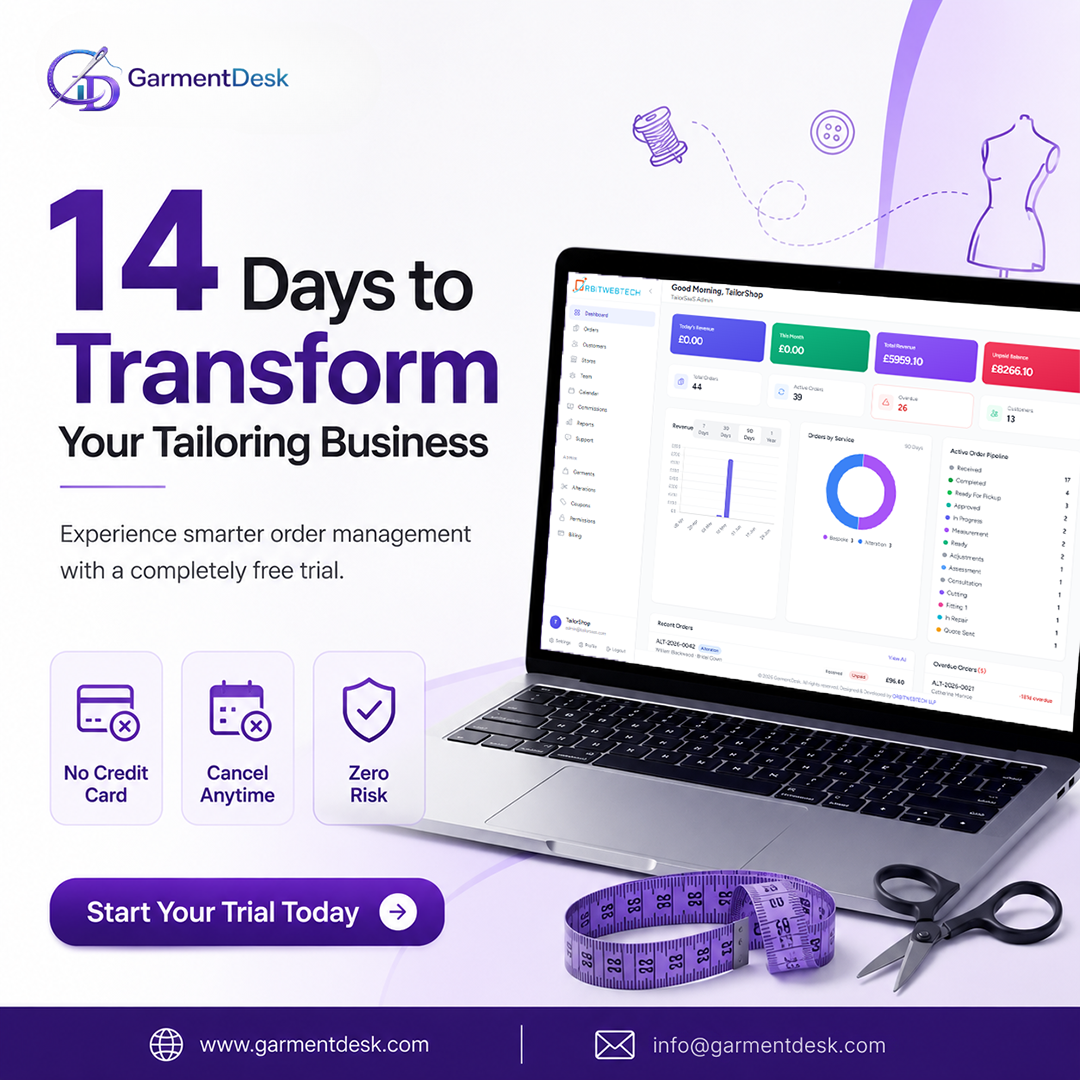
With GarmentDesk, you can try a complete tailor shop management system for 14 days without entering credit card details. The trial gives you time to explore the software, add your services, manage orders, and understand how a digital system can support your tailoring work. GarmentDesk is designed for bespoke tailoring, clothing alterations, and garment repairs.
Why a Free Trial Is Useful for Tailor Shop Owners
Choosing new software is an important decision. Every tailoring business operates differently, and a system that looks useful on a website may not always align with your daily workflow.
A free trial lets you answer practical questions, such as:
- Is the software easy for me and my team to use?
- Can I manage bespoke, alteration, and repair orders?
- Can I quickly find customer details?
- Does the system make order tracking easier?
- Can it help me monitor payments and invoices?
- Will it reduce the time spent on repetitive administrative work?
During a 14-day trial, you can test the system using real examples from your shop. You can create customer records, add services, enter orders, and review how information appears in one place.
This makes the trial more than a product demonstration. It becomes an opportunity to review how your tailoring business currently operates and identify where improvements may be possible.
1. Bring Your Tailoring Orders Into One Place
Managing several orders at the same time can be challenging. A tailor shop may handle bespoke garments, dress alterations, clothing repairs, fittings, and customer collection dates throughout the week.
When order information is stored in different notebooks, files, or messages, checking the status of each job can take extra time. A tailoring order management software system can help keep this information organized.
With GarmentDesk, you can manage bespoke, alteration, and repair orders from a single dashboard. This allows you to view important order details without searching through multiple records.
During the free trial, try adding a few active orders and review whether you can quickly identify:
- Customer information
- Service type
- Order status
- Due dates
- Payment status
- Store details
After using the system for several days, you may notice that checking orders becomes more straightforward.
2. Test a Better Way to Manage Customer Records
Customer relationships are important in tailoring. Returning customers may expect you to remember their previous orders, measurements, garment preferences, or alteration history.
However, finding this information can be difficult when records are stored across paper files or separate systems.
A tailoring business software platform can keep customer information connected with their order history. GarmentDesk includes customer management tools that help tailor shops maintain customer details and review previous orders.
During your 14-day free trial, add a few customer profiles and test how quickly you can find their information. You can also review whether having customer records in one place could help your team provide more consistent service.
3. Improve the Way You Track Bespoke Orders
Bespoke tailoring often involves several stages. A garment may move through consultation, measurement, cutting, fitting, adjustments, final preparation, and collection.
Without a clear process, it may be difficult to know the current stage of every order. Staff may need to ask each other for updates, and customers may call to check progress.
GarmentDesk includes a bespoke pipeline that helps you follow an order through its different stages.
During the trial, create a sample bespoke order and move it through your normal workflow. This can help you determine whether a digital pipeline would make it easier to:
- Check the current stage
- Monitor upcoming fittings
- Keep work organized
- Reduce missed steps
- Provide clearer updates to customers
You do not need to change your entire process immediately. The trial gives you time to see how the software could work alongside your existing workflow.
4. Make Alteration Details Easier to Record
Alteration work often requires precise instructions. A small missing detail can affect the final result and may lead to additional work.
For example, an alteration order may include information about:
- Hem adjustments
- Waist changes
- Sleeve shortening
- Shoulder adjustments
- Fitting requirements
- Special customer requests
Using a tailor shop management software system can help keep these details connected with the correct order.
GarmentDesk provides alteration tracking tools that allow tailoring businesses to capture job details and organize the work clearly.
During your trial, enter a few alteration jobs and check whether the information is easy for you and your staff to review. This can help you identify whether digital records could reduce confusion and improve consistency.
5. Review Your Invoicing and Payment Process
Creating invoices and checking payment status can take time when these tasks are handled separately from order management.
A connected system can make it easier to see which orders have been paid, which payments are outstanding, and which jobs are ready for collection.
GarmentDesk allows users to create invoices from orders and monitor payment information within the system.
During the 14-day free trial, test the invoicing process by creating a few sample orders. Review whether the system helps you:
- Prepare invoices more quickly
- Track paid and unpaid orders
- Keep payment information organized
- Reduce manual record keeping
This can be especially useful for busy tailor shops that manage many orders each week.
6. See How Customer Notifications Can Save Time
Customers often contact tailor shops to ask whether their garments are ready. Answering the same questions repeatedly can take time away from tailoring and customer service.
GarmentDesk includes notification features that can help keep customers informed when their orders are ready.
During the free trial, explore how notifications work and consider where they may fit into your customer communication process.
Clear updates may help reduce unnecessary follow-up calls while giving customers better visibility into their orders.
7. Understand Your Business With Simple Reports
Many tailor shop owners know their business well through daily experience. However, reports can make it easier to review important information without manually calculating everything.
GarmentDesk provides reporting tools that help users review revenue, orders, payment information, and business performance.
During your trial, review the available reports and consider questions such as:
- Which services receive the most orders?
- How much revenue has the shop generated?
- Are there outstanding payments?
- Which days are busiest?
- Which customers return regularly?
These insights can support better planning without replacing your personal knowledge of the business.
8. Check Whether the Software Works for Your Team
New software should not only work for the business owner. It should also be understandable for the people who use it every day.
During the trial, invite a team member to test common tasks. Ask them to create an order, update its status, find a customer record, or review their assigned work.
GarmentDesk includes team roles and permissions, allowing businesses to provide appropriate access to different staff members.
Testing the system with your team can help you understand:
- How quickly staff can learn the software
- Whether daily tasks are easy to complete
- Which features are most useful
- Whether the system supports better coordination
How to Use Your 14-Day Free Trial Effectively
To get useful results, avoid using the trial only to look through the dashboard. Try using it as part of your normal work.
Days 1–3: Set Up Your Tailor Shop
Start by adding your business information, store details, services, and pricing. Explore the main areas of the system and understand where important information is stored.
Days 4–7: Add Customers and Orders
Create customer records and enter a selection of bespoke, alteration, or repair orders. Include realistic details so you can test the system properly.
Days 8–10: Test Your Daily Workflow
Use the software to check orders, update progress, review customer information, and monitor payments. Compare the process with the way you currently manage these tasks.
Days 11–12: Involve Your Team
Ask staff members to test the tools they would use regularly. Collect their feedback about usability and workflow.
Days 13–14: Review the Results
At the end of the trial, consider:
- Did order tracking become easier?
- Was customer information quicker to find?
- Did the software reduce manual work?
- Could it help prevent missed details?
- Would it support your business as it grows?
This approach can help you make a decision based on experience rather than assumptions.
What Makes GarmentDesk Suitable for Tailoring Businesses?
General business software may not include the specific workflows needed by tailor shops. GarmentDesk is designed around the requirements of bespoke tailoring, alterations, and garment repairs.
The platform includes tools for:
- Order management
- Bespoke order tracking
- Alteration management
- Repair quotes
- Customer records
- Invoicing and payments
- Customer notifications
- Team roles
- Multi-store management
- Business reports
Start Your 14-Day Free Trial
A 14-day free trial gives you time to test whether a tailor shop management system can support your daily work. You can explore the features, add real business information, test your workflow, and involve your team before making a decision.
GarmentDesk offers a 14-day free trial with no credit card required, and you can cancel at any time.
If you are ready to see how digital tools can help organize your tailoring business, start your GarmentDesk free trial today.
FAQs
1. What is included in GarmentDesk’s 14-day free trial?
GarmentDesk’s 14-day free trial gives you access to features like order management, customer records, bespoke workflow tracking, alteration management, invoicing, payments, notifications, and reporting. You can explore the software using your real business data before choosing a plan.
2. Do I need a credit card to start the free trial?
No. You can start GarmentDesk’s 14-day free trial without providing a credit card, making it easy to test the software without any upfront commitment.
3. Is GarmentDesk suitable for small tailoring businesses?
Yes. GarmentDesk is designed for tailoring businesses of all sizes, including independent tailors, alteration shops, bespoke tailoring businesses, and multi-location stores. It helps organize daily operations and reduce manual paperwork.
4. How can tailor shop management software improve my business?
Tailor shop management software helps you manage customer information, track orders, monitor payments, organize measurements, and improve workflow efficiency. It also reduces the risk of missed orders and lost records.
5. Can I manage bespoke, alteration, and repair orders in GarmentDesk?
Yes. GarmentDesk allows you to manage bespoke tailoring, clothing alterations, and garment repair orders from one dashboard, making it easier to monitor every stage of the job.