Managing tailor shop orders becomes difficult when customer details, measurements, alteration requests, delivery dates, payments, and production updates are recorded in different places. A missed note or delayed update can quickly lead to confusion for your team and frustration for customers.
Tailor Shop Order Tracking Software for Better Workflow Management gives tailoring businesses one place to manage orders from the moment they are created until they are completed and delivered. Instead of relying on notebooks, spreadsheets, or messages, your team can track each order, check its current status, and keep customer information connected to the job.
GarmentDesk helps tailor shops organize their daily work, manage customer orders, track production progress, and keep important business information accessible from one system.
Why Order Tracking Matters for a Tailor Shop
Every tailoring order has several steps. A customer may place an order, provide measurements, select fabrics or designs, request alterations, make a payment, and choose a delivery date.
When these details are managed manually, it is easy for an order to be overlooked or for information to be recorded incorrectly.
A tailor shop order tracking system helps you:
- Keep customer and order information together
- Track the current status of every order
- Monitor pending and completed work
- Keep delivery dates visible
- Reduce manual data entry
- Make it easier for staff to find order details
- Keep customers informed about their orders
- Identify delayed orders before they become bigger problems
The goal is simple: your team should always know what needs to be done, what is currently being worked on, and what is ready for the customer.
Manage the Complete Tailoring Order Workflow
A tailoring business may handle dozens or hundreds of orders at different stages. Order tracking software allows you to organize this work into a clear workflow.
1. Create the Customer Order
Start by recording the customer’s information and order requirements. You can keep details such as customer contact information, garment type, measurements, due date, pricing, and special instructions connected to the order.
This eliminates the need to search through separate notebooks or spreadsheets when you need to find customer information.
2. Track Measurements and Garment Details
Measurements are an important part of tailoring. Keeping them attached to the customer’s profile makes it easier for your team to access the correct information when creating or altering garments.
You can also keep notes about garment preferences, fitting requirements, and other instructions associated with the customer.
3. Monitor Production Progress
Once an order enters production, your team needs to know what stage it has reached.
For example, an order may move through stages such as:
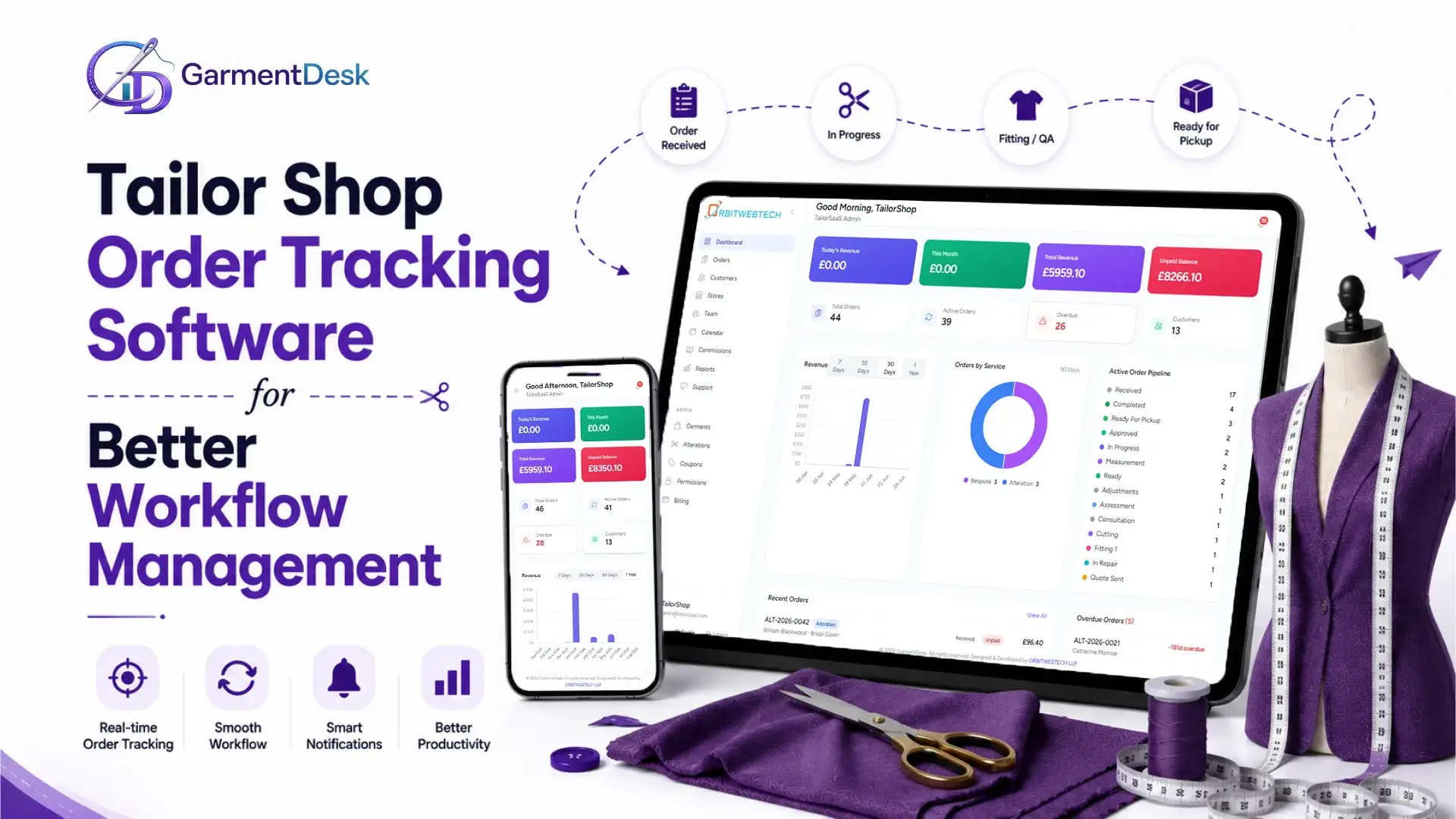
Order Received → Cutting → Stitching → Fitting → Alteration → Quality Check → Ready for Pickup → Delivered
A digital order management system makes these stages easier to organize and monitor.
4. Track Alterations and Repairs
Alterations and repairs often require different instructions from standard tailoring orders. Keeping these requests connected to the order helps staff understand exactly what needs to be changed.
GarmentDesk can help businesses organize alteration and repair work alongside their regular tailoring orders.
Learn more about managing tailoring operations with tailor shop software.
5. Keep Delivery Dates Visible
A missed delivery date can affect customer satisfaction and your shop’s reputation.
Order tracking allows your team to see upcoming deadlines and identify orders that need attention. This is particularly useful during busy periods when many garments have similar delivery dates.
Replace Manual Order Tracking With a Centralized System
Many small tailoring businesses still use paper order books, spreadsheets, WhatsApp messages, or a combination of different tools.
These methods may work when the shop handles only a small number of orders. As the business grows, however, finding information becomes harder.
A centralized tailor shop management system keeps important information in one place.
Instead of asking:
“Where is this customer’s order?”
Your team can check the system and see the current order status.
Instead of searching through multiple messages for a delivery date, staff can access the order information directly.
This creates a more organized daily workflow without adding unnecessary complexity.
Improve Customer Order Management
Good order management is not only about helping your staff. It also improves the customer experience.
Customers want clear answers when they ask:
- Has my garment been started?
- Is my order ready?
- When can I collect it?
- Has my alteration been completed?
- How much do I need to pay?
- What is the delivery date?
With organized order records, your staff can respond to these questions more quickly.
GarmentDesk combines customer information with order management, so your team does not have to search across different systems.
You can also explore customer management features for tailor shops to keep customer information and order history organized.
Keep Tailor Shop Staff on the Same Page
Order tracking becomes even more important when several employees work on the same orders.
For example, the person handling the customer may not be the same person responsible for cutting or stitching. If information is not shared properly, important instructions can be missed.
A centralized system gives your team a shared view of order information.
Staff can understand:
- Which orders are new
- Which garments are currently being worked on
- Which orders require alterations
- Which orders are waiting for fitting
- Which orders are ready
- Which orders are overdue
This makes it easier to divide work and prioritize urgent orders.
Connect Order Tracking With Customer CRM
Order information becomes more useful when it is connected to customer records.
A tailor shop CRM can help you maintain customer profiles, previous orders, measurements, preferences, and communication details.
For example, when a returning customer places a new order, your team can access their previous information instead of collecting everything from scratch.
This can save time while helping staff provide a more consistent customer experience.
If you are looking to improve customer management alongside order tracking, tailor CRM software can help bring these processes together.
Manage Payments Alongside Orders
Orders and payments are closely connected in a tailoring business.
An order may have:
- A deposit
- Partial payment
- Outstanding balance
- Full payment
- Refund or adjustment
Keeping payment information connected to the order makes it easier for staff to understand the financial status of each job.
Instead of checking a separate payment record, your team can review the order and its payment information together.
Track More Than One Type of Tailoring Work
A modern tailor shop may provide more than standard stitching.
Your business may handle:
- Bespoke tailoring
- Clothing alterations
- Garment repairs
- Fittings
- Custom orders
- Bridal garments
- Formal wear
- Uniforms
- Multiple garment types
Your order tracking process should be flexible enough to support different workflows.
GarmentDesk is designed for tailoring businesses that need to manage different types of work while keeping customer and order information organized.
Order Tracking Helps Reduce Avoidable Mistakes
Manual processes create opportunities for simple mistakes.
A delivery date may be written incorrectly. A measurement may be recorded on the wrong page. An alteration instruction may be missed. A staff member may not know that an order is urgent.
Digital order tracking cannot eliminate every mistake, but it can reduce many of the problems caused by scattered information.
When order details, customer information, production stages, and payment records are organized together, staff have a clearer picture of each job.
Make Daily Workflow Easier to Manage
The main benefit of order tracking software is not simply having another digital tool.
It is having a clearer way to run the shop.
Your team can start the day by checking pending orders, identifying upcoming deadlines, reviewing work in progress, and prioritizing tasks.
Managers can spend less time asking staff for order updates and more time managing the business.
This is especially valuable as the number of customers and orders increases.
What to Look for in Tailor Shop Order Tracking Software
Before choosing a system, consider whether it supports the way your shop actually works.
Important features to consider include:
Customer Management
The system should allow you to maintain customer profiles, contact information, measurements, and order history.
Order Management
You should be able to create, update, search, and organize orders without relying on separate spreadsheets.
Order Status Tracking
Look for clear order stages so your team can quickly understand the progress of every job.
Alteration and Repair Management
If your business handles alterations or repairs, the software should allow you to record specific work requirements.
Measurements Management
Keeping measurements connected to customer records can make repeat orders easier to handle.
Invoicing and Payments
Connecting invoices and payment information with orders can make financial tracking simpler.
Notifications
Customer and staff notifications can help reduce unnecessary follow-up calls and messages.
Reports and Analytics
Reports can help you understand order volumes, completed work, outstanding payments, and other areas of shop performance.
A Better Way to Manage Tailoring Orders
A tailoring business does not need a complicated system to improve its workflow. It needs a practical way to keep customer information, orders, production stages, payments, and delivery details organized.
Tailor Shop Order Tracking Software for Better Workflow Management can give your team better visibility over daily work while reducing dependence on manual records.
With GarmentDesk, you can bring key tailoring operations into one system and create a more structured process for managing orders from start to finish.
If you are ready to organize your tailoring business, explore GarmentDesk and see how the platform can support your shop’s order management, customer management, alterations, payments, and daily workflow.
Frequently Asked Questions
What is tailor shop order tracking software?
Tailor shop order tracking software is a system that helps tailoring businesses record customer orders and monitor their progress through different stages, from order creation to completion and delivery.
How does order tracking software help a tailor shop?
It helps staff organize orders, monitor production progress, manage deadlines, access customer information, track payments, and reduce dependence on paper records and spreadsheets.
Can order tracking software manage alterations?
Yes. A suitable tailoring management system can record alteration requirements and keep them connected to the relevant customer and order.
Can I track customer measurements with tailor shop software?
Yes. Tailoring software can keep customer measurements connected to customer profiles, making them easier to access for repeat orders and future work.
Is order tracking useful for small tailor shops?
Yes. Even a small shop can benefit from organized order records. As order volume increases, digital tracking can make it easier to manage deadlines, customer information, and production work.
Can order tracking be combined with customer management?
Yes. Combining order tracking with customer management gives your team access to customer information, previous orders, measurements, and order history from one place.
What is the difference between a tailor shop CRM and order tracking software?
A tailor shop CRM focuses primarily on customer information and relationships, while order tracking focuses on the progress and management of individual jobs. A complete tailoring management platform can combine both functions.
How can GarmentDesk help with tailor shop workflow management?
GarmentDesk helps tailoring businesses manage customers, orders, measurements, alterations, repairs, payments, notifications, and other daily operations from a centralized platform.